
Every band. Every version.
One source of truth.
Stop chasing riders by email. Send each band a link, let them hand in, freeze what you build from, and see every later change as the exact steps it means on your stage.
Invite
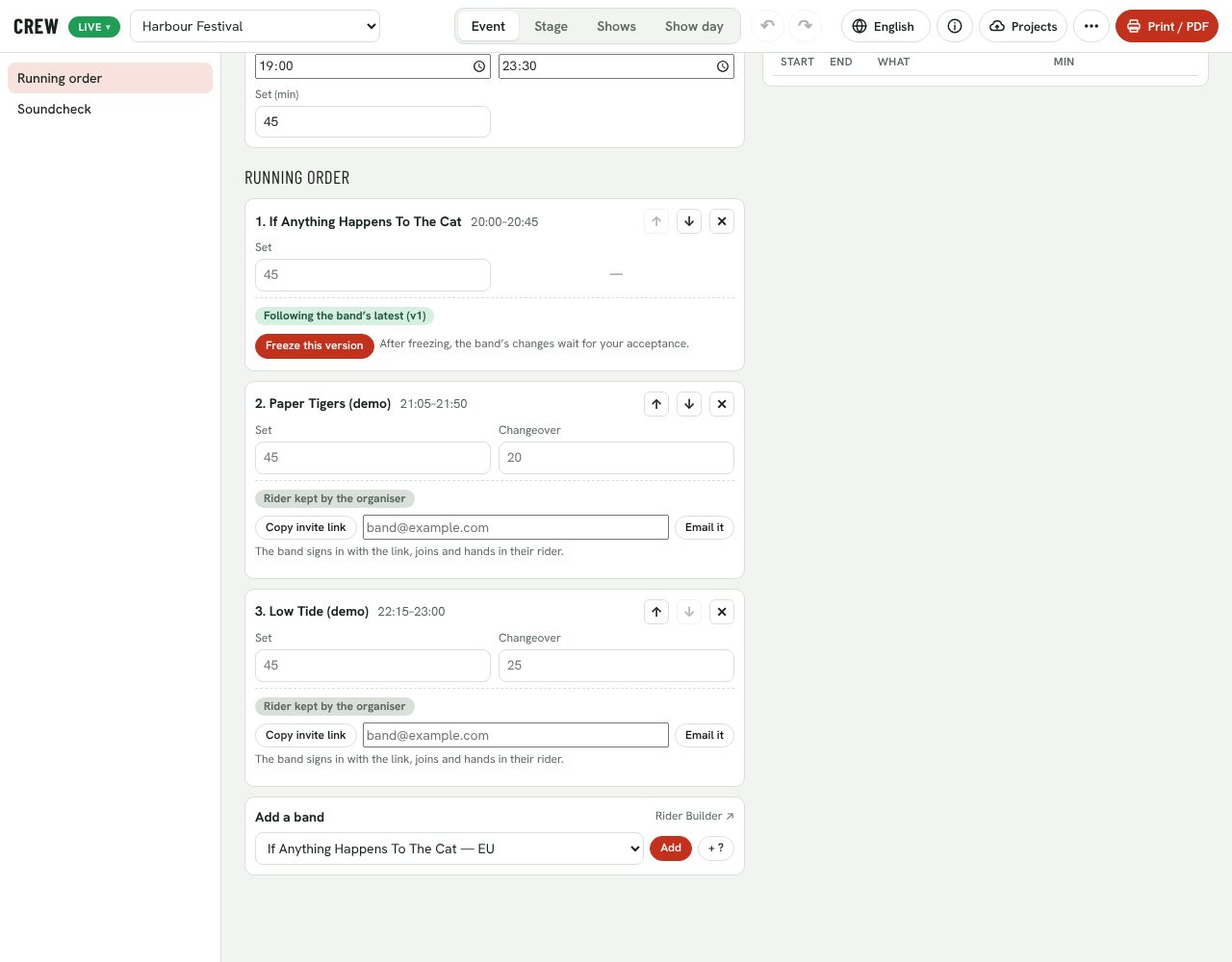
Save the event online. Each slot gets its own link: copy it or email it to the band.
Hand in
The band signs in and hands in a rider. Until you freeze, you follow their latest version.
Freeze
Lock the version you build from. Their later saves no longer move your stage.
Review
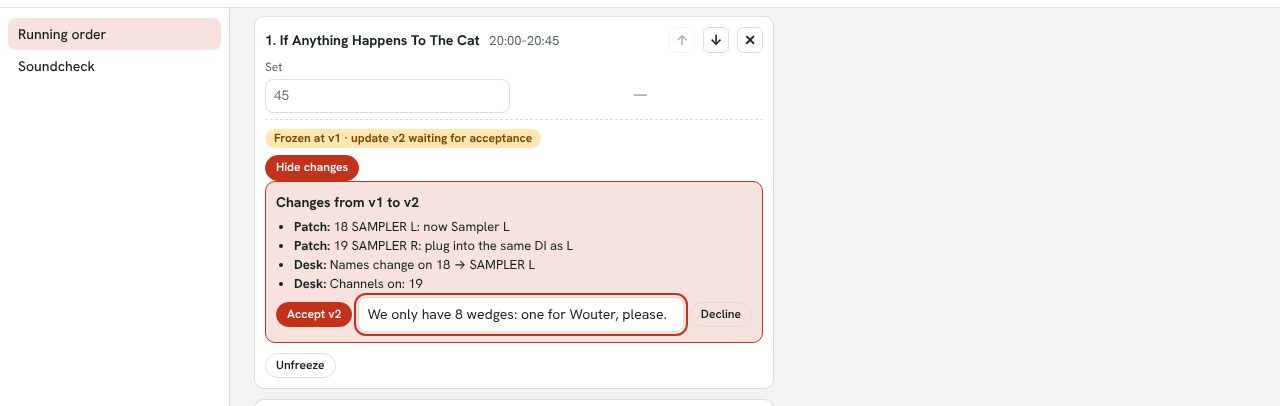
Updates arrive as steps (“channels on: 26”). Accept, or decline with a note they see.
Acknowledge
Change your stage after the freeze and the band is asked to confirm they’ve seen it.
Who handed in, who’s frozen, who changed
Every slot shows where its band stands: invited, handed in, frozen at a version, update waiting, or still to acknowledge your stage change. For bands that will never open an app, send a simple form link instead; their answers become the rider. Lock and unlock the form when you like.
“Add wedge at 1.1 m from SR.” Accept?
A band’s update after the freeze isn’t a new PDF to compare by eye. You see exactly what it changes on your stage, as the same steps the crew would do, and accept or decline it with a note. Accept, and the patch, plan and changeovers follow.
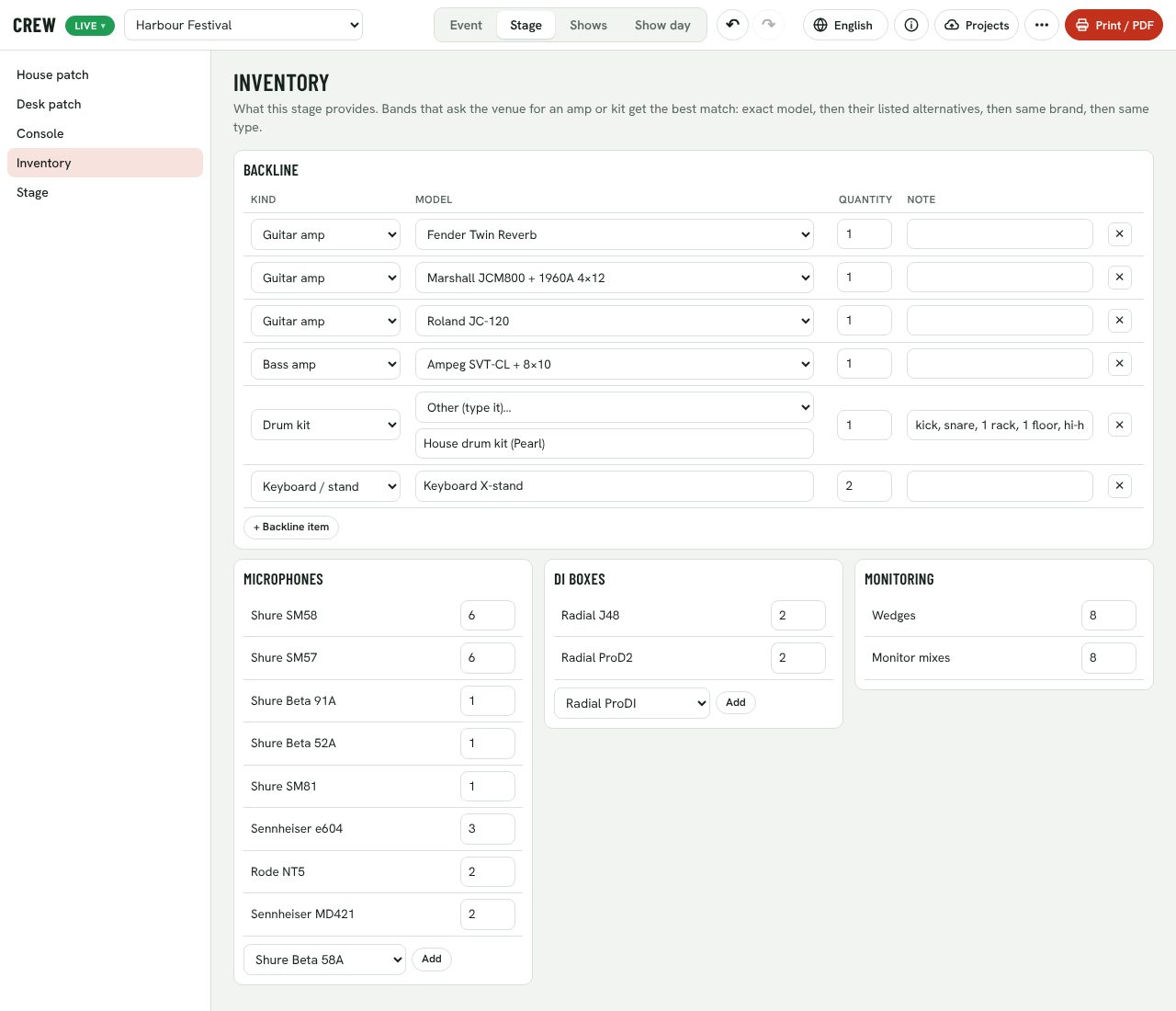
Set up the house once
Stageboxes and lines, desk patch, console, inventory of backline, mics, DIs and wedges, stage size and mains. Every event on that stage starts from it. Save every version online; bands frozen on an event are asked to acknowledge a new stage version.
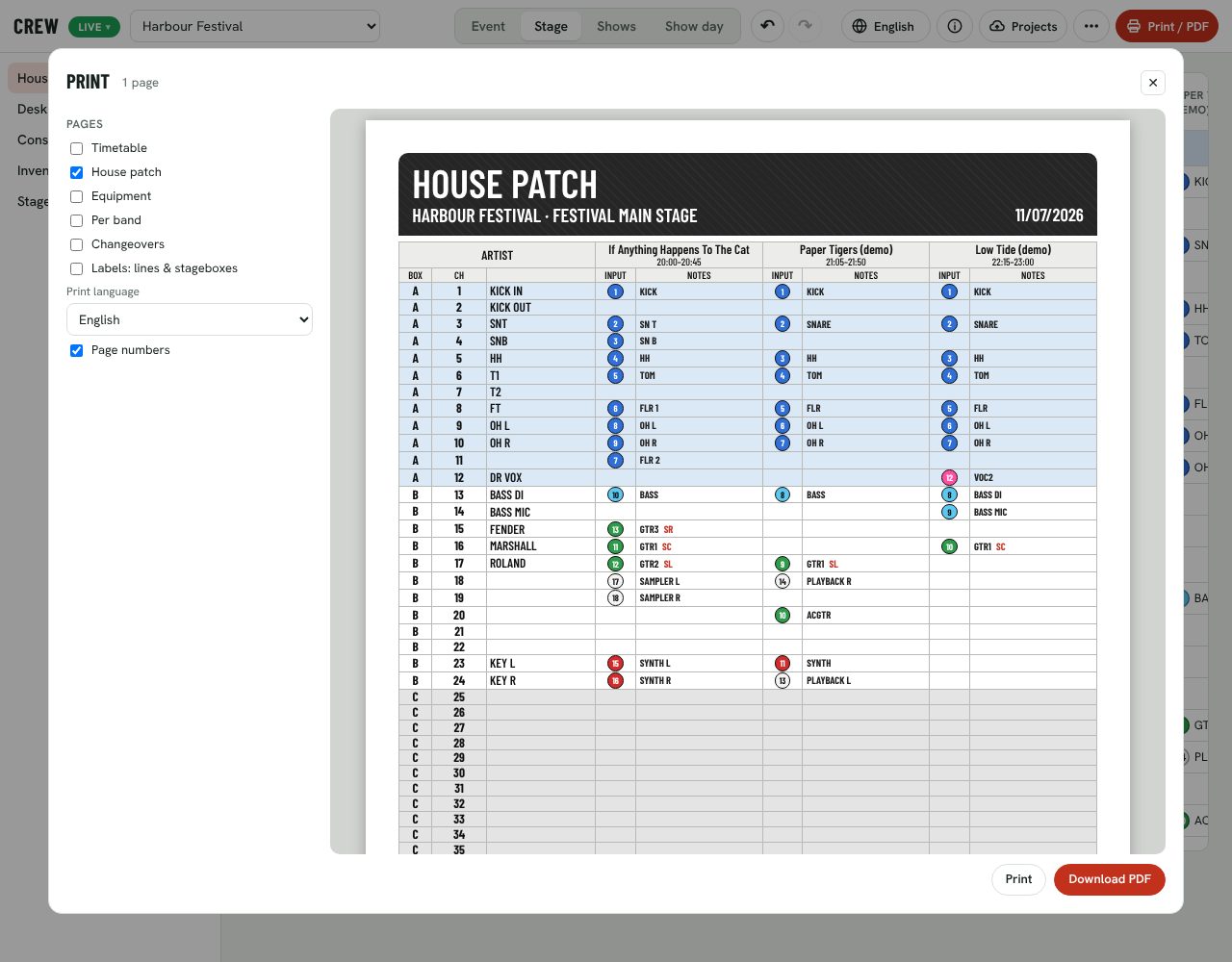
Every department gets its pages
Timetable, house patch, equipment with the peak per day, per-band pages, changeovers, soundcheck changeovers, and labels for lines and stageboxes. Tick what you need, choose the days and the print language, and download one PDF.
Your company, your people, your data
Your whole team
Invite colleagues with a link. They edit stages and events and handle the bands’ riders.
Two-step sign-in
Email and password, email codes or Google, with an authenticator app as a second step.
Scoped access
Bands only ever see their own slot. Other bands on the bill never see each other’s riders.
Versions kept
Every online save of a stage, event or rider is a version, with who saved it.
Undo
A hundred steps of undo across event, stage, shows and show day.
Delete anything
Owners can delete a company with everything in it; anyone can delete their account.
From the back room
to the main stage
Three bands, one engineer, one X32
The engineer is also the stage manager and the backline tech.
Questions
Do bands need to pay or sign up for anything?
No. Bands don’t pay. They sign in with email or Google through your slot link, or answer a form link if they’d rather not.
We run several stages and a three-day festival.
Each stage keeps its own house patch and inventory; events can run over several days, with a timetable per day. See the Venue and Festival plans.
Can you set up our stages for us?
On the Festival plan we onboard your stages, house patch and inventory with you. Get in touch.